See exactly where each photo was taken
Troovo Interactive Floor Plans connect listing photos directly to the floor plan — live, from the listing itself.
List Property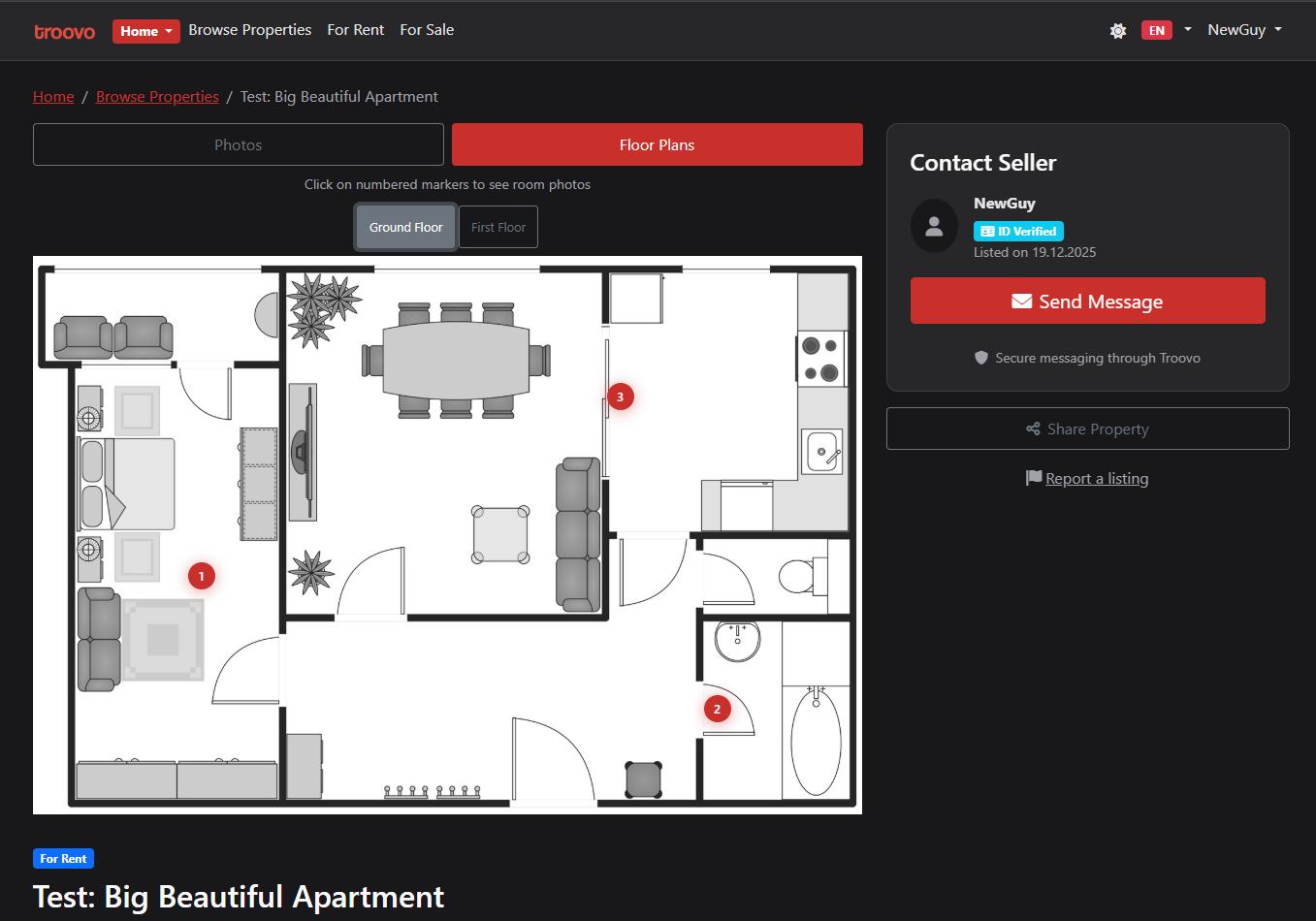
The problem with property photos
"I can't tell where this room is"
"Is the bedroom next to the kitchen?"
"Which window is this view from?"
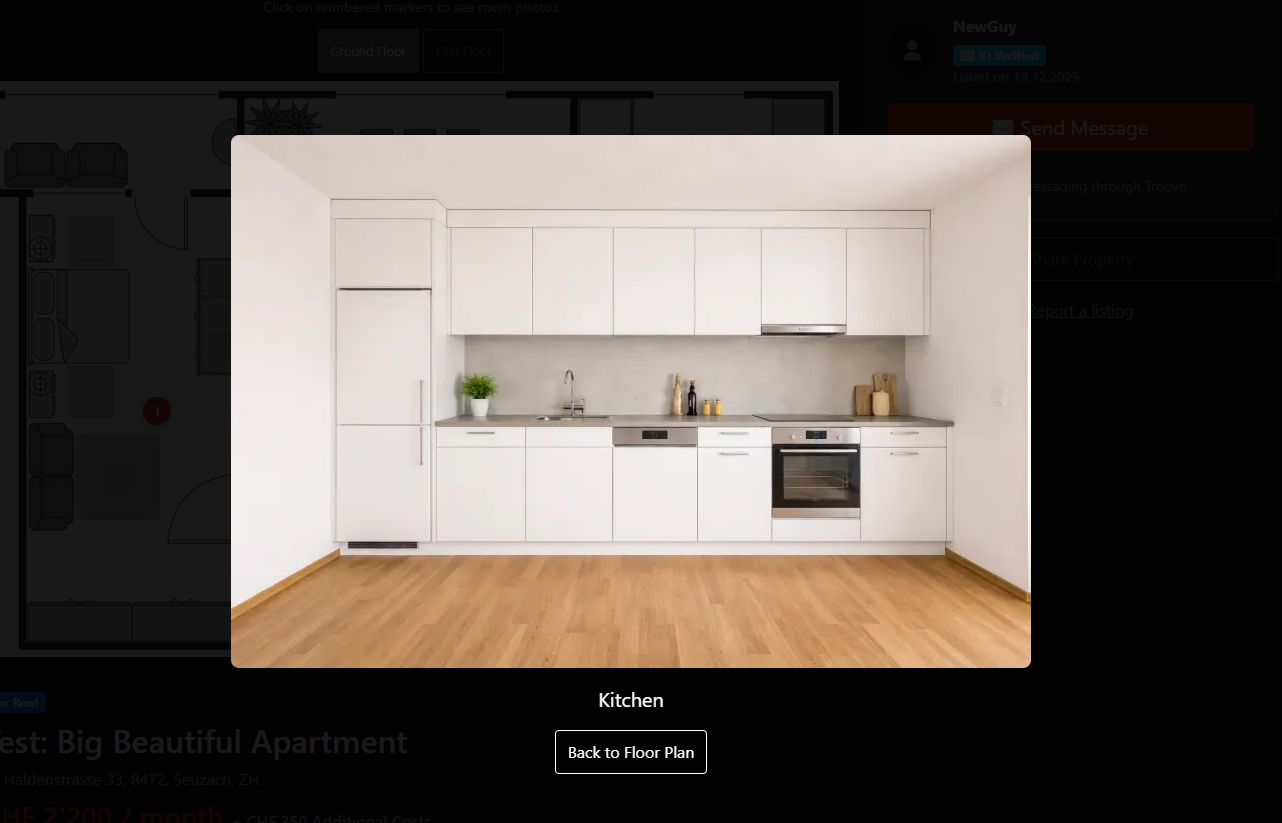
Photos that make sense
Interactive floor plans with live photo mapping — so you understand the space before you visit.
How it works
1
Upload a floor plan
Add your floor plan image when creating or editing your listing.
2
Mark the rooms
Click on the floor plan to place markers where photos were taken.
3
Link your photos
Connect each marker to a listing photo. Done.
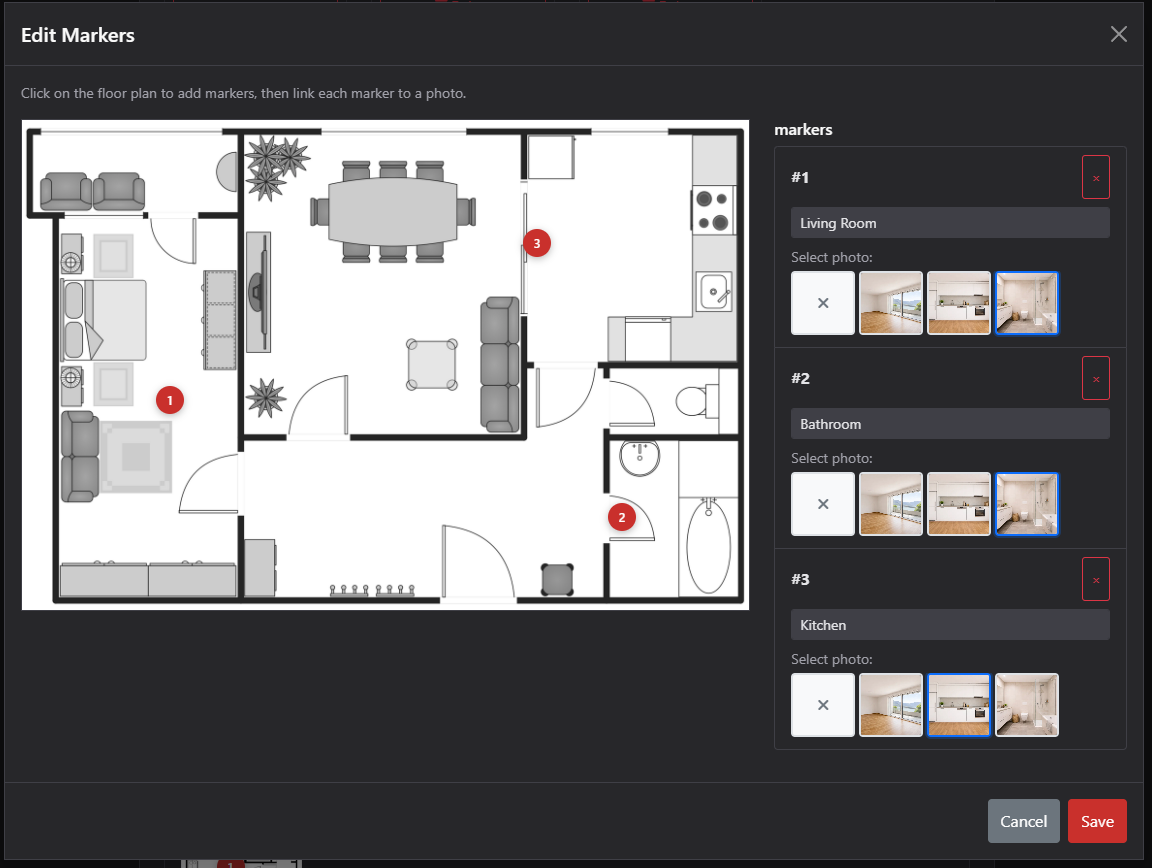
Set up in minutes
No special software. No expensive equipment. Just your floor plan and your photos.
- Works with any floor plan image
- Point-and-click marker placement
- Updates instantly on your listing
For Tenants & Buyers
- Understand the layout before visiting
- Fewer surprises at viewings
- Make faster, confident decisions
For Landlords & Agents
- Better-qualified enquiries
- Less back-and-forth explaining layout
- Stand out from other listings
Built for clarity — not tricks
Troovo Interactive Floor Plans always reflect the live listing. No staged demos. No simulations.
Only on Troovo.
Ready to list your property?
Interactive floor plans are available on every Troovo Home listing.
List Property